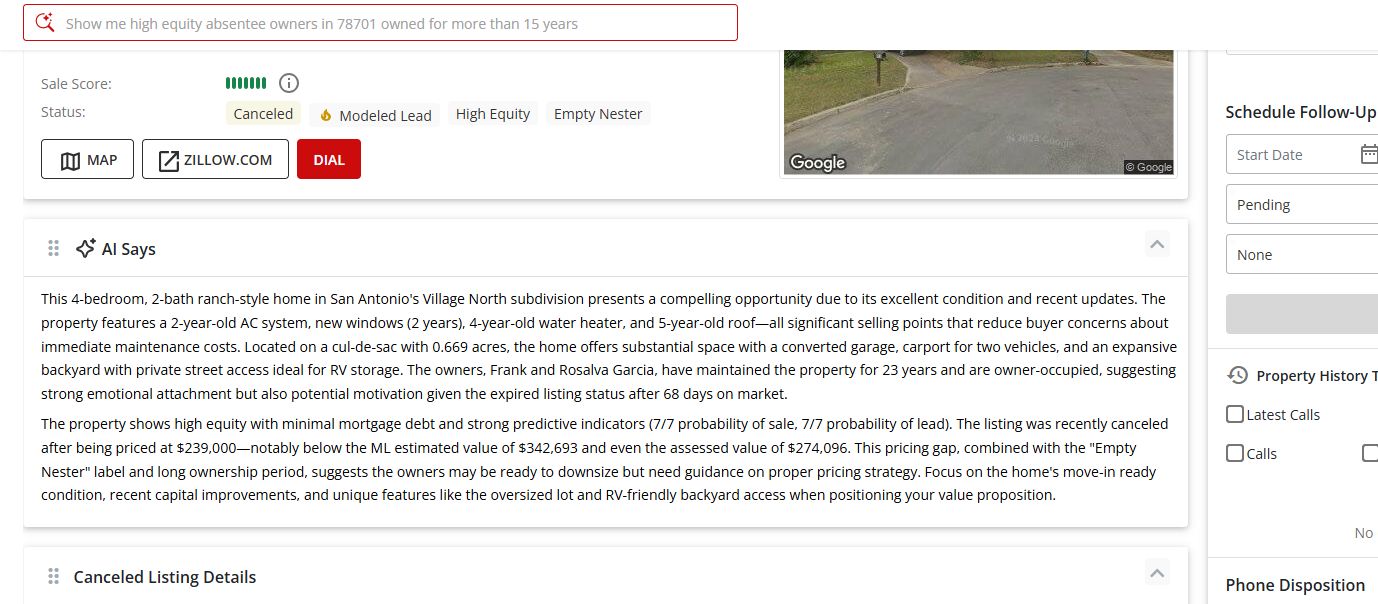
The AI Says feature in my +plus leads analyzes every data point we have on a property and generates a concise summary of its characteristics, along with suggested presentation angles to help personalize your messaging when prospecting. Instead of piecing together property history, owner equity, and ownership context on your own, AI Says delivers a ready-to-use briefing that highlights the most compelling angles for your outreach.
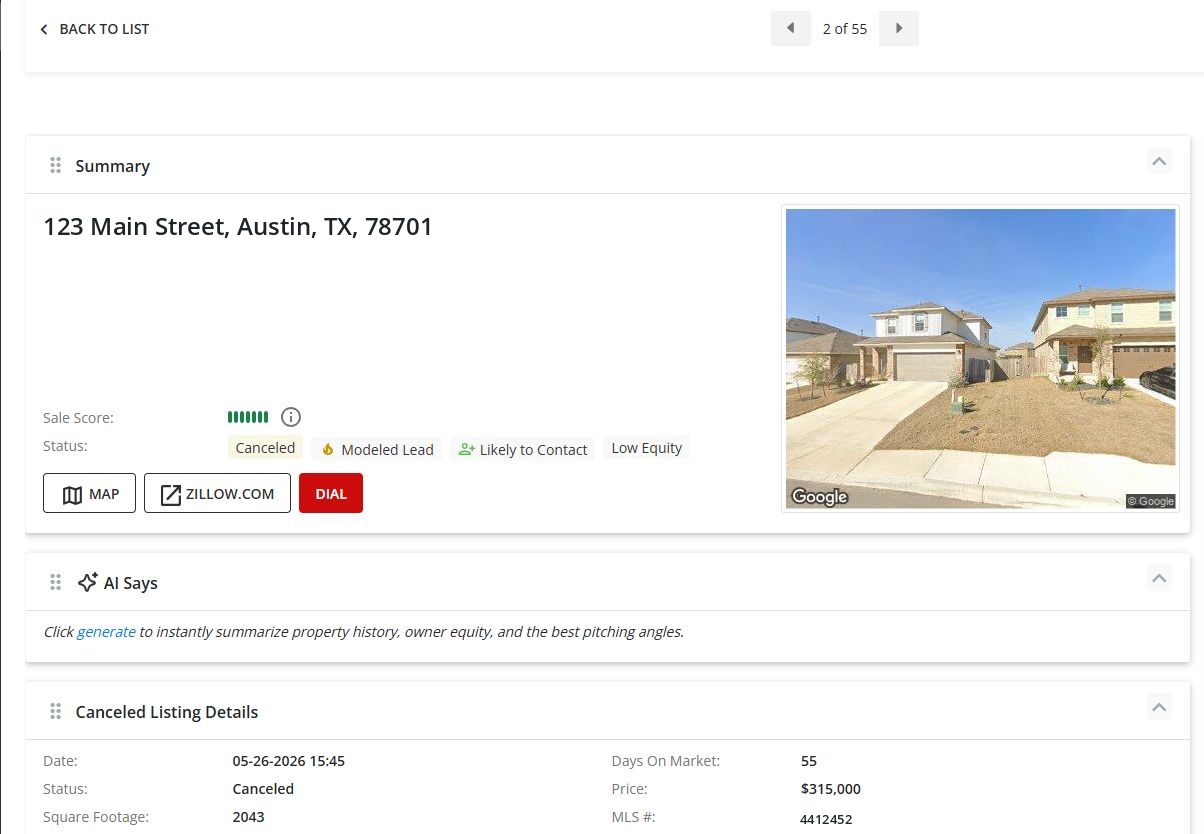
AI Says can be generated directly from either the Summary View or the Detail View of any listing.
- • Open any listing to view the Summary
- • Locate the AI Says section
- • Click the generate link in the prompt: "Click generate to instantly summarize property history, owner equity, and the best pitching angles."
- • The AI will analyze the property data and populate the section with a tailored summary
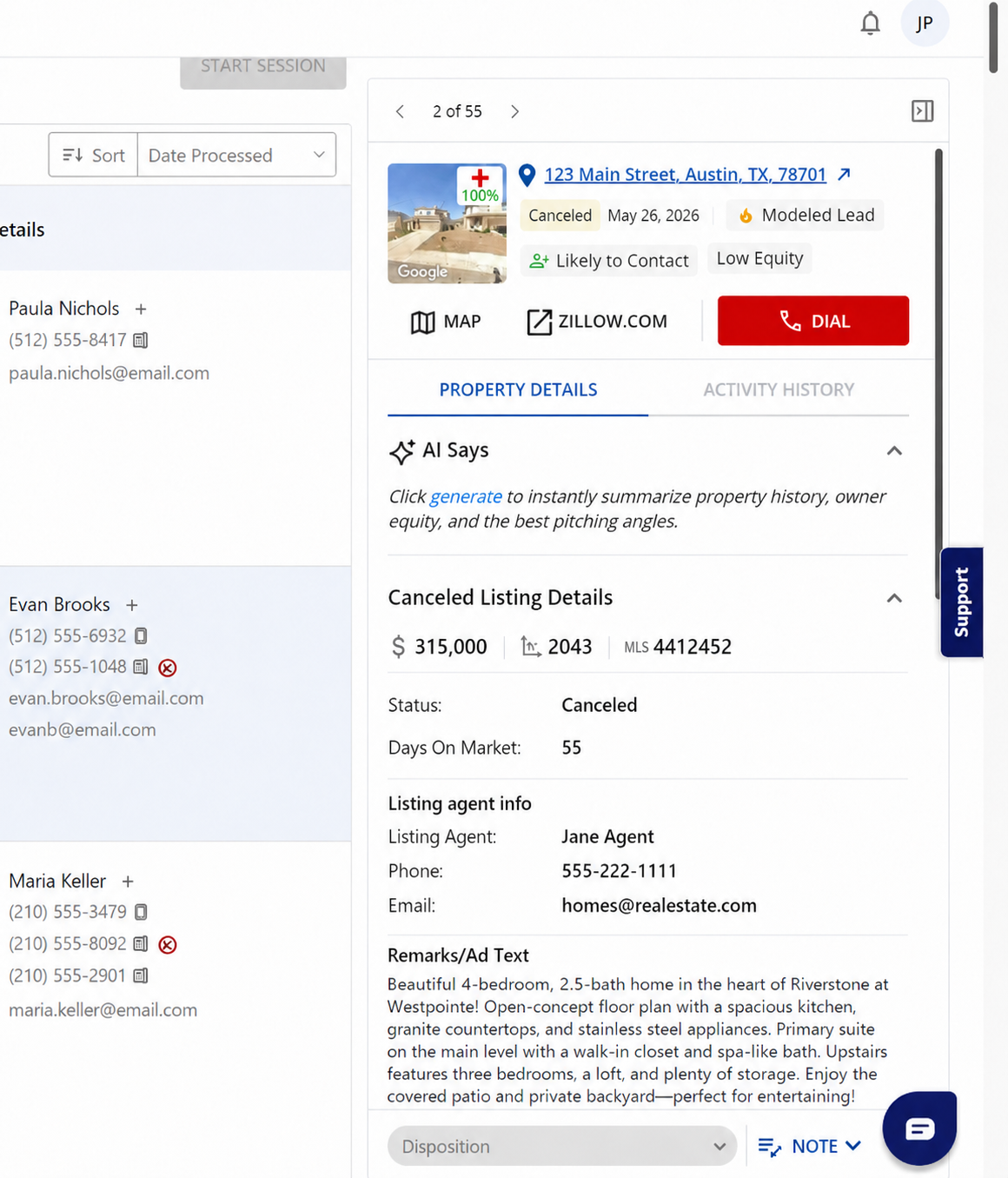
- • Open the Detail View of any listing
- • Click the PROPERTY DETAILS tab
- • Locate the AI Says section and click generate
- • The summary will appear directly within the Detail panel
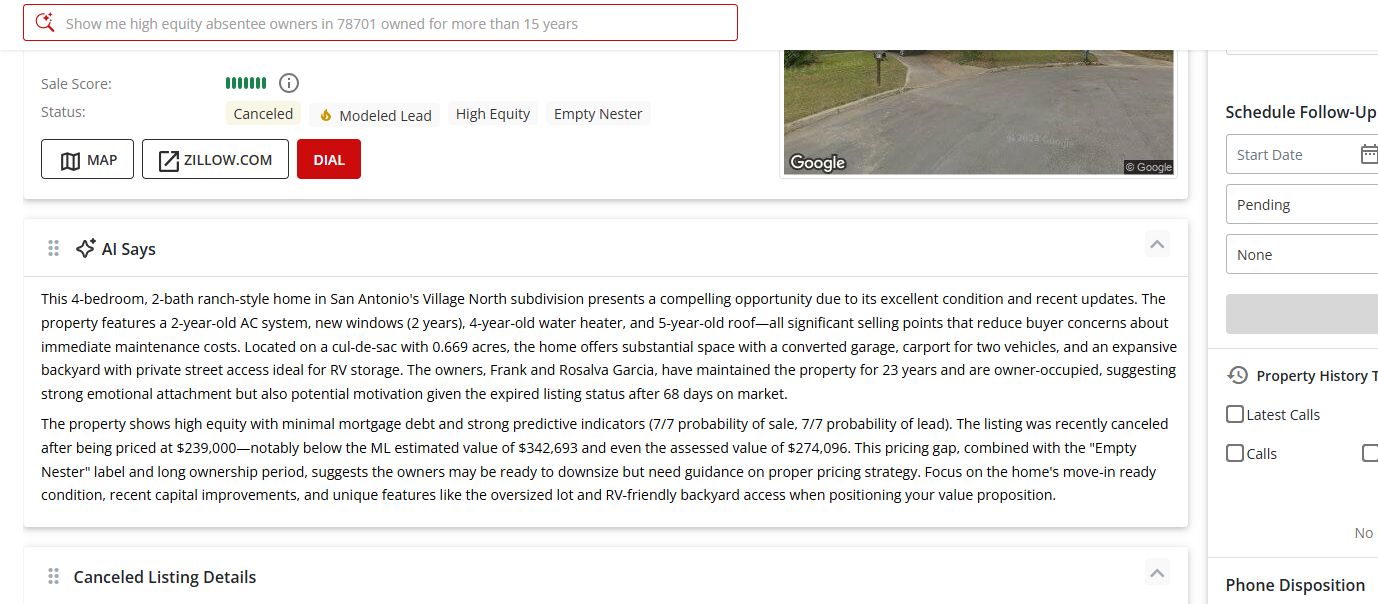
Once generated, AI Says produces a two-part briefing:
- • Property Summary — Key characteristics of the home including condition, recent updates, lot features, ownership history, and motivation indicators
- • Pricing & Positioning Insights — Equity position, predictive sale indicators, pricing analysis vs. estimated values, and recommended angles to focus on during your outreach
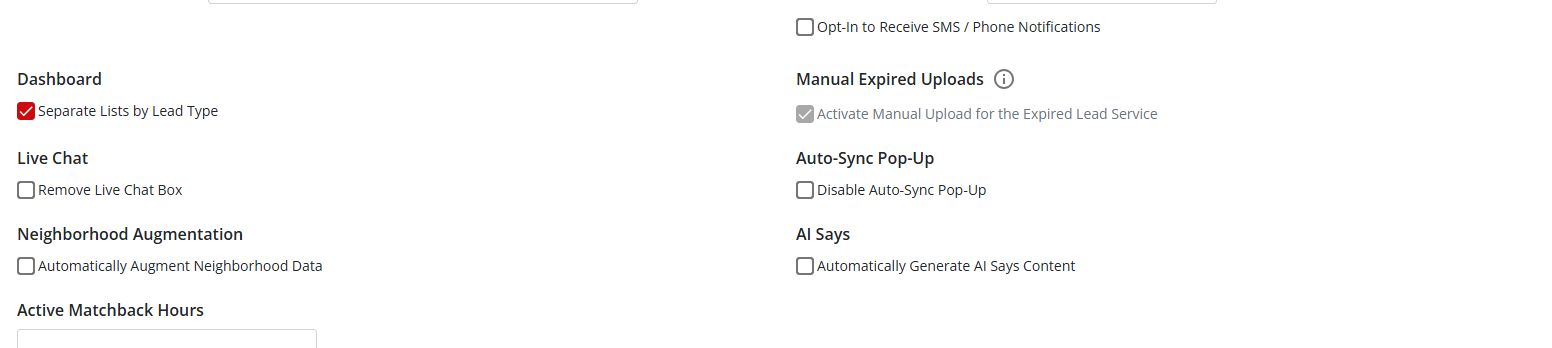
If you would prefer not to click generate on each listing, you can enable automatic generation in your account settings.
- • Navigate to SETTINGS & HELP → Options/Preferences
- • Scroll to the Additional Settings section
- • Under AI Says, check the box for Automatically Generate AI Says Content
- • Save your changes — AI Says content will now generate automatically for every listing you open
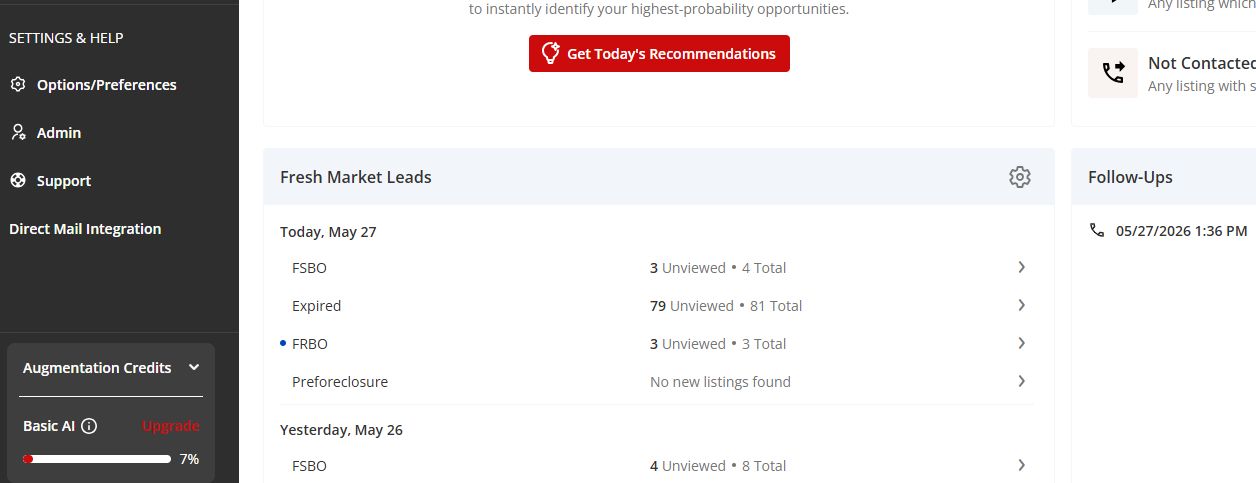
AI Says draws from your Augmentation Credits, which can be viewed in the lower-left corner of the portal under SETTINGS & HELP.